Options for printing Studying on a screen
If you like learning via printed materials, there are options to print online materials. These have limitations, however, because module websites are designed to be interactive and link to supporting materials, something that is more difficult to do in print. If you occasionally do want to have paper versions of learning materials, you can print the webpages or the PDF and Word formats of module materials.
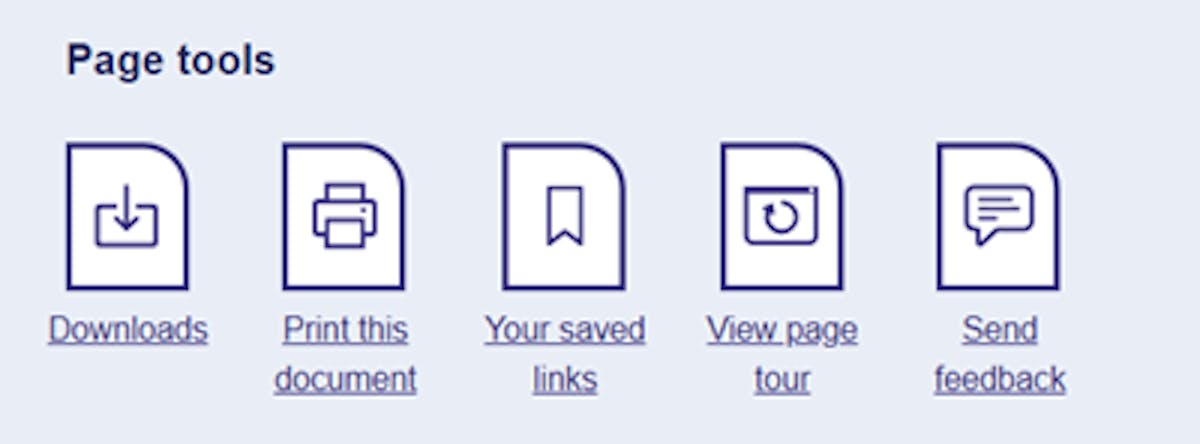
Locate the icons that appear throughout your module website, typically at the bottom of the page. These icons enable you to access the different features, including Print this document and Downloads.
If you want to print directly from a user-friendly version of the webpage, select the Print this document icon. You can customise the layout and font size using your browser settings.
Alternatively, you can use the Downloads icon. This option enables you to download a PDF version of the webpage which you can print.
For added convenience, you can find all available PDFs in one location.
- Select the Resources section which you'll see along the top of module website.
- Locate the Downloads section.
- Find PDF versions of web pages.
If you find reading on white paper difficult, you could try buying a pack of coloured overlays to save the need to print on coloured paper. You can buy these online or in high street stationery shops.
Printed materials if you have a disability

We recognise that, for some students, the formats routinely available may not be suitable because of the impact of their disability on how they access and engage with study materials. In these circumstances, and where it's feasible for the module concerned, we may be able to provide printed copies of study materials. These are printouts of the online content and are not provided as bound books.
This is a lot of material and is designed to supplement the online learning experience. Students will still need to use the website to engage in interactive activities, videos, and quizzes and follow links between different sections or external websites. Students who use the PDF, Word, or eBook versions can access these links in most circumstances.
Printed materials are not available on all modules because our online learning is designed to be studied interactively using digital tools. There are occasions when the learning cannot be taught offline, and printing is not an option to meet the learning outcomes of the module. For modules where this is applicable, disability advisers will suggest approaches to support your online learning experience.
If you would like to discuss this option, contact Disability Support. We may ask for further information about your disability and support needs to help us understand the barriers you are experiencing and determine the most appropriate support.
It may also be worth taking the time to develop online study strategies because module printouts produce a lot of paper, and any students who may find physically handling or organising large quantities of paper difficult should consider if printed materials would help or hinder their study.
Print at home scheme
The print at home scheme is designed to support eligible students who need printed study materials as a case-based reasonable adjustment. Once eligibility is confirmed by email, students can claim reimbursement of the costs of printing sections of core online study materials. See Print at home scheme for details on eligibility and how to claim.